Say what you need and the assistant does it right in the app
The in-app assistant reads your numbers, tasks and settings and does the job for you, like running a measurement or adding a competitor. It asks you before it changes anything.
On every plan1 credit per message. 7-day free trial, card required. Cancel any time.
You’re now tracking zrnoteka.cz. It will show up in your results after the next measurement.
The measurement spends credits and runs for a few minutes.
- measurement
- AI visibility
What the assistant gives you

Answers from your data
It reads your score, questions, competitors and traffic.

Actions, not instructions
It runs measurements, adds competitors, sets up reports.
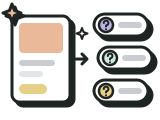
A choice at every change
Do it, Just advise me, or Not now.

Receipts and history
What the assistant did, with a link to the result.
From one sentence to a finished job
- 1

You say what you need
In your own words, on any screen in the app.
- 2

You approve the change
For a paid action, with its price in credits.
- 3

The assistant does it
A receipt shows what it did and where to find it.
It does the job, so you don’t have to hunt for buttons
Most things you can click in the app, the assistant can do for you. It uses the same functions as the buttons on the screens.
- It turns one sentence into several steps, like adding a competitor and running a measurement.
- It can also switch a filter or tab, so you see what it’s talking about.
- Added a question or competitor? Take it back with Undo in the receipt.
A message costs 1 credit, the price on the right is for the action. You always approve changes first. A filter switches right away.
It asks you before it changes anything
Before every change it shows a card that says what will happen. You pick Do it, Just advise me, or Not now.
- For a paid action you see the price and your credit balance before you start it.
- Just advise me: it explains the steps and tells you where to find them in the app.
- The card comes from the app. The assistant can’t skip it.
The competitor disappears from tracking and future measurements.
- website
- kavart.cz
Open Competitor tracking in the menu and remove kavart.cz from the list there.

Right at hand on every screen
On a large screen the panel opens on the right and shifts the content aside, so the chart you’re asking about stays in view. On a phone it slides up from below.
- It knows which screen you’re on and reads numbers from your data. “This competitor” means the one you have open.
- The full assistant screen keeps your conversation history, separately for each website.
- Open it with the Assistant pill in the top bar or press Ctrl + K.
In the last comparison, zrnoteka.cz beat you on 4 of 12 questions. For coffee subscriptions, the assistants named them, not you.
Where the assistant stops
There are three steps it can’t take for you, because they are yours alone. It gets you to the sign-in and to the payment, and you take the last step yourself.
- It can delete a website, a product, a tracked question or a competitor, always after you confirm.
- It changes nothing on your website. It only works inside the app.
 Signing in to GoogleSearch Console and Analytics. The assistant opens the sign-in, you confirm it.
 Payment cardThe assistant opens your subscription. You enter the card yourself on Stripe.
 Deleting your accountOnly you can, in Settings. The assistant won’t delete your account.
Under the hood
- AI picks the next step. Your browser then carries it out under your sign-in.
- It calls the same functions as the buttons, so credits, plan and site access are checked the same way.
- It doesn’t see your screen. It knows which one you’re on and reads numbers from the same data as the app.
- 1 credit per new message. Extra steps in the same reply are free; paid actions cost their usual price.

What this feature can’t do
- It won’t sign in to Google for you, enter a card or delete your account.
- It doesn’t change your website. It only works in the Custela app.
- It won’t start a copy suggestion in the Content configurator. You do that yourself.
- Its answers come from AI and can be wrong. The receipt shows what it really did.
- It’s locked without a subscription or trial.
More features in this section



Frequently asked questions
How much does the assistant cost?
Each new message costs 1 credit. Extra steps the assistant takes in the same reply are free. A paid action, like a measurement, costs the same as from its button, and you see the price before you start it.
Which plans include the assistant?
Every plan, and the trial too: a 7-day free trial, card required. Starter at 990 Kč/month excl. VAT comes with 250 credits, Profi at 1 490 Kč/month excl. VAT with 450 credits. Without a subscription the assistant is locked.
Will the assistant do anything without my consent?
No. Before it changes anything or spends credits on an action, it shows a card and waits for your choice. Without asking, it only reads data and switches a filter or tab. (Each message you send costs 1 credit.)
Is the in-app assistant the same as ChatGPT?
No. ChatGPT, Gemini and other AI assistants are what Custela asks when it measures. The in-app assistant works inside Custela with your data. The measurement results are in How often AI mentions you.
Will the assistant write copy and publish it on my site?
It can write a new article (3 credits). You start edits to existing pages in the Content configurator. It doesn’t put anything on your website. You paste the text into your CMS yourself. More in Ready-made website copy.
Tell the assistant what to do in the app
7-day free trial, card required. Cancel any time during the trial.